
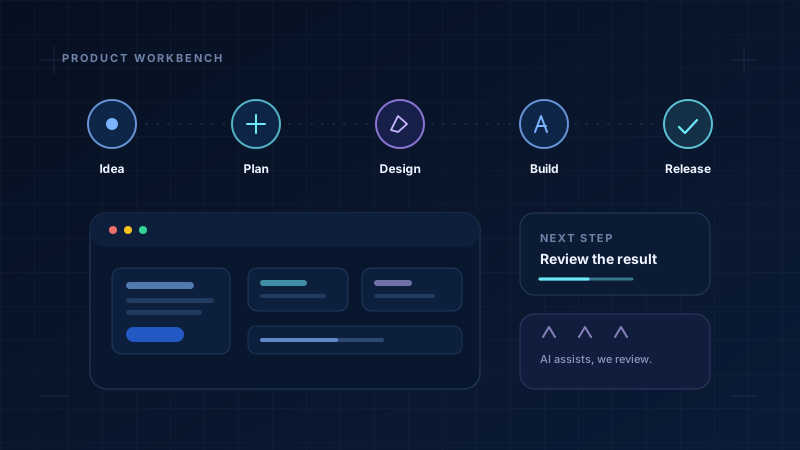
AI is now part of many software teams. It can suggest a line of code, explain an error message, draft a test or describe what an unfamiliar file seems to do. Used well, it can save time on repetitive work and help a developer learn. Used carelessly, it can produce code that looks neat but fails in the real world.
The important word is assist. AI can help people who develop software. It does not decide what should be built, and it cannot promise that the result is correct, secure or ready for customers.
What software development actually involves
A modern application is more than a screen and more than a database. Someone has to understand the need, decide how the parts fit together, build the screens, write the rules behind them, store and protect information, test the result and support it after release.
A simple school fee app shows the range of work. A parent needs to see the amount due and receive a receipt. An administrator needs to record a payment and correct a mistake. The school needs records that are private, a history of changes and a way to handle a failed payment. None of that is only a coding task.
Where AI can help
Frontend development: screens and forms
The frontend is what a person sees and touches: pages, buttons, forms, menus and messages. AI can suggest a layout, generate repetitive form fields, draft validation messages or show a simpler way to write a component. It can also propose labels and error text.
A developer still has to check that the page works on a small phone, that a keyboard can reach every control, that colour contrast is readable and that an error message tells the person what to do next. A generated screen can look finished while being difficult to use.
Backend development: rules, processing and data
The backend is the work behind the screens. It checks whether a payment is valid, calculates a fee, stores a record, sends a receipt and decides who may see what. AI can help draft an API handler, suggest a database query, write a small utility or explain an unfamiliar function.
The backend is also where quiet mistakes are expensive. A generated query may be slow or unsafe. A permission check may be missing. A calculation may be wrong for a discount, a late fee or a refund. A person must test these rules with real examples and review access controls.
Mobile application development
Mobile apps add their own constraints: limited battery, different screen sizes, slow networks, camera and location permissions, and app-store rules. AI can help write shared code for Android and iOS, suggest a permissions flow or explain a crash report.
It cannot replace testing on real devices. A feature may work on a fast phone with a good connection and fail on an older phone with little storage. Privacy is also more visible on a phone: people should understand why an app asks for a permission and what happens if they say no.
Websites and web applications
A website may mainly present information. A web application also lets people sign in, submit data, make bookings or manage records. AI can help with page structure, responsive styling, content templates and repetitive code. It can speed up the early version of a page.
Good design still matters. A page that is fast on a laptop may be slow on a village connection. A layout that looks good in one language may break in another. Search engines, screen readers and browsers all need to understand the result.
Finding errors and understanding unfamiliar code
AI is often useful when a developer is stuck. It can read an error message, suggest likely causes or explain a piece of code written by someone else. This is especially helpful when joining an existing project or returning to old work.
But an explanation can be wrong. The developer should reproduce the bug, read the relevant code and run a test before trusting a fix. An AI tool does not know the full history of a project unless that context is shared, and even then it may miss an important detail.
Improving existing software
AI can suggest smaller functions, clearer names, missing tests or a safer way to handle an error. It can summarise a large change and help a team review it. That is useful in old systems where the original developer is no longer available.
Improvements still need care. A refactor can break behaviour that customers depend on. A library upgrade can introduce a new problem. Changes should be small, tested and reversible, especially when money, health or personal records are involved.
A simple path from idea to release
The interactive flow below shows where AI might assist and where a person must stay in charge. Select any stage, or press Start to follow the process. It describes a general way of working, not a fixed rule for every project.
Seven stages of an AI-assisted feature
The same small feature, from a person's need to a careful release.
Start with the person and the problem
Decide who needs the feature, what they do today and what a better result would look like. Write down what the feature will not do. AI can help list questions, but people who understand the work must decide the requirement.
Example: a parent should see the exact fee due and a clear receipt. A school should be able to correct a wrong entry without deleting the history.
Sketch the screens and the rules
AI can suggest a first layout or draft plain-language labels. The team still has to decide what information appears, what happens when a payment fails and how someone gets help. Good design makes the ordinary path obvious.
Example: a fee screen with a clear amount, a payment button, a receipt screen and a visible way to contact the school.
Build the screens people touch
AI can generate form fields, validation messages and reusable components. A developer checks keyboard access, readable contrast, small screens, error states and loading states. The screen must still make sense when the network is slow.
Example: a suggested form is kept only after the team tests it with a keyboard, a screen reader and a small phone.
Build the rules, data and permissions
AI can draft a handler, query or test, but the team must define who may see a record, how money is calculated and what happens when a step fails. Every important rule needs a test with realistic data.
Example: a parent may see only their own child's fees. An administrator may correct a payment, but the old value remains in an audit log.
Test the normal path and the awkward ones
AI can suggest test cases, including repeated payments, lost connections and empty fields. A person checks the results on real devices and with real data. Passing tests do not prove that the software is secure or useful.
Example: a test payment succeeds, then the connection drops. The app must not show “paid” unless the payment service confirms it.
Review security, privacy and design together
AI may point out common risks, but a person with the right knowledge must review access, secrets, personal data, backups and failure handling. The words on the screen need review too: unclear messages create support problems.
Example: a review asks what happens when a receipt email fails, who can export records and how long old data is kept.
Release carefully and keep checking
Start with a small group. Watch errors, support messages and unusual payments. Keep a way to roll back the change. AI can summarise logs, but a person decides whether the feature is safe to keep.
Example: the fee feature is tested with one class before the whole school. A support note explains what to do if a receipt is missing.
Ready. Press Start, or select any stage to read what happens there.
AI may help at every stage. Responsibility does not move to the tool.
Why human review still matters
AI tends to produce something that looks plausible. That is useful for a draft and dangerous for a final decision. A generated function may be missing a check. A generated test may test the wrong thing. A generated explanation may confidently describe a library version that is not in use.
Testing
Run the software with ordinary, empty, unusual and hostile inputs. Check what happens when a service is slow or unavailable.
Security
Check access rules, passwords, secrets, uploads and personal data. A working feature can still expose information it should not.
Good design
Make the next step clear, use plain words, support keyboard and small screens, and show errors that help rather than blame.
Accountability
Someone must be able to explain why the software behaves as it does and fix it when it causes harm.
What AI cannot promise
AI can speed up certain tasks. It does not guarantee correct, secure or production-ready software. It does not know your users, your legal duties or the condition of an old system unless someone gives it that context. Even with context, it can be wrong.
It is also easy to create more code than a team can understand. A large generated change may be harder to review than a small hand-written one. The aim is not to produce the most code. The aim is to produce software that is understandable, tested and safe to change.
Good habits for AI-assisted development
- Keep changes small enough to read, test and undo.
- Ask for an explanation, not only a solution. A developer should understand the code they keep.
- Never paste real passwords, private keys or personal records into a tool that is not approved for them.
- Run the tests yourself. Do not accept “it should work” as evidence.
- Treat AI output as a suggestion from a helpful colleague who has not seen the whole system.
Key takeaways
- AI can help with frontend screens, backend code, mobile and web development, error finding, unfamiliar code and improvements to old software.
- It does not understand the whole system unless it is given context, and it can produce plausible but wrong code.
- A typical feature still moves through understanding, design, frontend, backend, testing, review and release.
- People must decide the requirements, check security and privacy, test on real devices and take responsibility for the result.
- AI can speed up tasks, but it does not guarantee correct, secure or production-ready software.