For Android Family location & safety

Family Path Locator

Connected Families, Always Safe

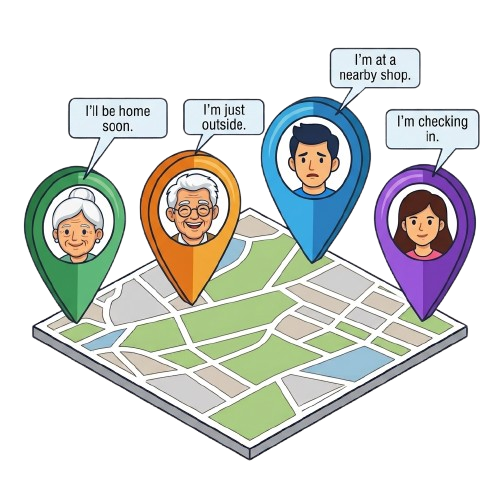
A private family location-sharing and safety app designed to help families stay connected, share current location, communicate, and send quick Safety Alerts.

  • Location Sharing
  • Family Groups
  • Safety Alerts

Home Screenshot Coming Soon

  • Weather
  • GeoTag
  • Current Location

Privacy highlights

  • Family-only location sharing
  • No location history
  • Current location only
  • User-controlled sharing
Features

Everything a family needs to stay connected

Verified features from the Family Path Locator Android app — described accurately, with limitations included.

Family Location Sharing

See your family on a shared map with clear location freshness. Members appear with avatar markers, distance, and accuracy information — so you always know when a location was last updated.

Updates follow the app's configured update and movement policy — approximately hourly, or when a member moves — not second-by-second tracking.

Family Code

Create a family and receive an 8-character Family Code. Share the code with the people you trust — family members join simply by entering it.

8-character code Up to 6 members per family Up to 2 families per person

Safety Alerts

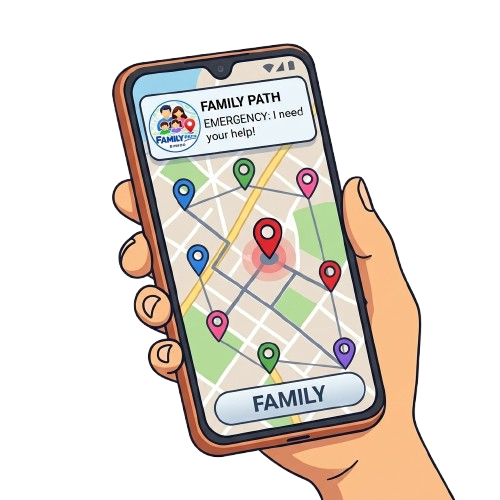
Send a Safety Alert with a predefined alert type and an optional custom message. Each alert includes your current address and coordinates, and reaches your family as a push notification.

Safety Alerts require internet connectivity and notification permissions. They are not a replacement for emergency services.

Family Chat

Group family conversations and one-to-one chats, with text and emoji, delivered within the app.

Text and emoji only — up to 500 characters. No chat push notifications, typing indicators, or read receipts.

GeoTag Camera

Stamp useful details directly onto your photos — name, family, address, latitude and longitude, and date/time.

  • The stamp is burned into the image pixels.
  • Photos are saved on your device.
  • Share through your device's usual share options.
  • Photos are never uploaded to the Family Path cloud.
  • No GPS EXIF metadata is added to the image.

Background Location Sharing

Family Path can keep sharing your location while the app is closed, using Android background location.

Requires background location and notification permissions. Android shows an active foreground-service notification. Sharing stays under your control and does not restart automatically after a reboot until you open the app.

Weather

Current weather for you and your family — temperature, feels-like, condition, humidity, cloud cover, wind, and rain.

Current conditions only. Requires internet, uses third-party weather data, and weather sharing can be turned off.

Member Status

Useful status at a glance — location freshness, distance, battery level, charging state, location accuracy, and weather.

Battery and weather sharing are controlled by consent settings.

Offline AI Assistant

A built-in help assistant that works without internet, answering app-related questions from a bundled knowledge base.

It runs entirely on your device as an in-app help assistant.

Privacy & User Control

Control location sharing, battery-status sharing, and weather updates. Leave a family whenever you like, and delete your account at any time.

Only current location is stored — there is no location history or timeline.

Account Management

Sign in with Google or email and password, with email verification and password reset supported.

Account deletion is available in the application.

Free Application

Family Path is designed as a free application.

How it works

Up and running in four simple steps

  1. Install Family Path Locator

    Download the app on your Android phone.

  2. Sign in

    Continue with Google, or use email and password.

  3. Create or join a family

    Create a family and share its 8-character Family Code — or enter a Family Code from your family.

  4. Stay connected

    View family members, share your current location, chat, and send Safety Alerts.

Screenshots

A look inside Family Path Locator

Real application screenshots will be placed here. Each frame below is a labelled placeholder.

Home / Map

Member location sheet

Family screen

Family Code

Safety Alert

Chat

GeoTag camera

AI Assistant

Settings

Privacy

Sharing that stays in the family

Family Path is designed around current location sharing within your family — with clear controls for what you share.

  • Current location only
  • No location history
  • Location visible within your family group
  • Background location is user-controlled
  • Battery sharing has a consent toggle
  • Weather sharing has a consent toggle
  • GeoTag photos are not uploaded
  • Account deletion is supported
Good to know

Important details, up front

A few honest notes about how Family Path Locator works.

Location updates

Family Path is not a continuous, second-by-second tracker. Location updates follow the application's configured update and movement policy.

Safety Alerts

Safety Alerts require internet connectivity and appropriate notification permissions. They are not a replacement for emergency services.

Weather

Weather information is provided for informational purposes and depends on third-party weather data.

Photos

GeoTag photos remain on the user's device unless the user chooses to share them.

Android

The current application is available for Android.

Chat

Chat currently supports text and emoji and does not provide message push notifications.

Ready to stay close?

Get Family Path Locator for Android and join your family with a Family Code.