
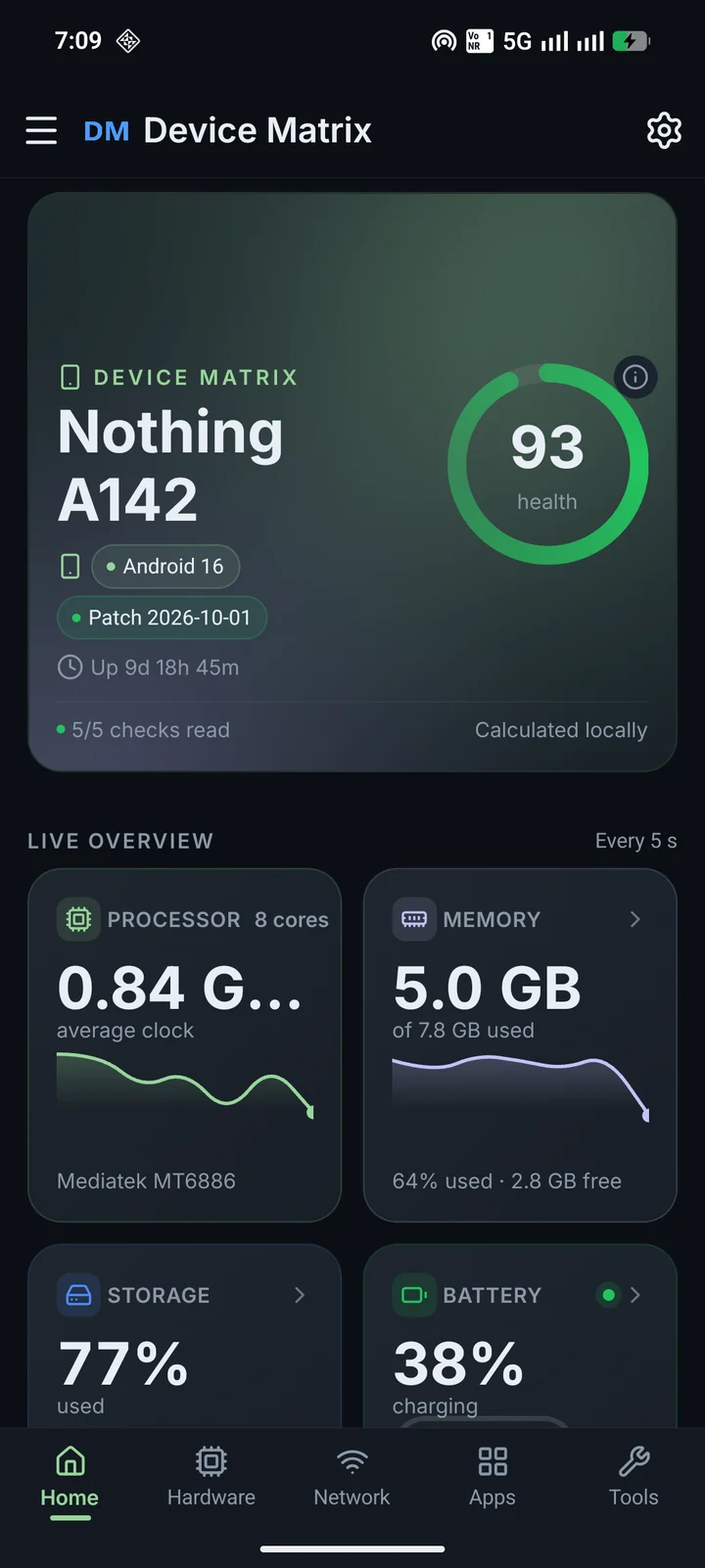
Read from Android, not invented
Device Matrix uses public Android interfaces available to normal apps. When the OS or manufacturer blocks something, the screen says so.
 Device Matrix: System Info
 reads the hardware, software and network details Android exposes. It shows what it can read, says when a value is unavailable, and labels estimates instead of filling the gaps with guesses.
Every feature is free. Remove Ads is an optional one-time purchase through Google Play. Nothing renews. Prices appear in Google Play in your local currency.
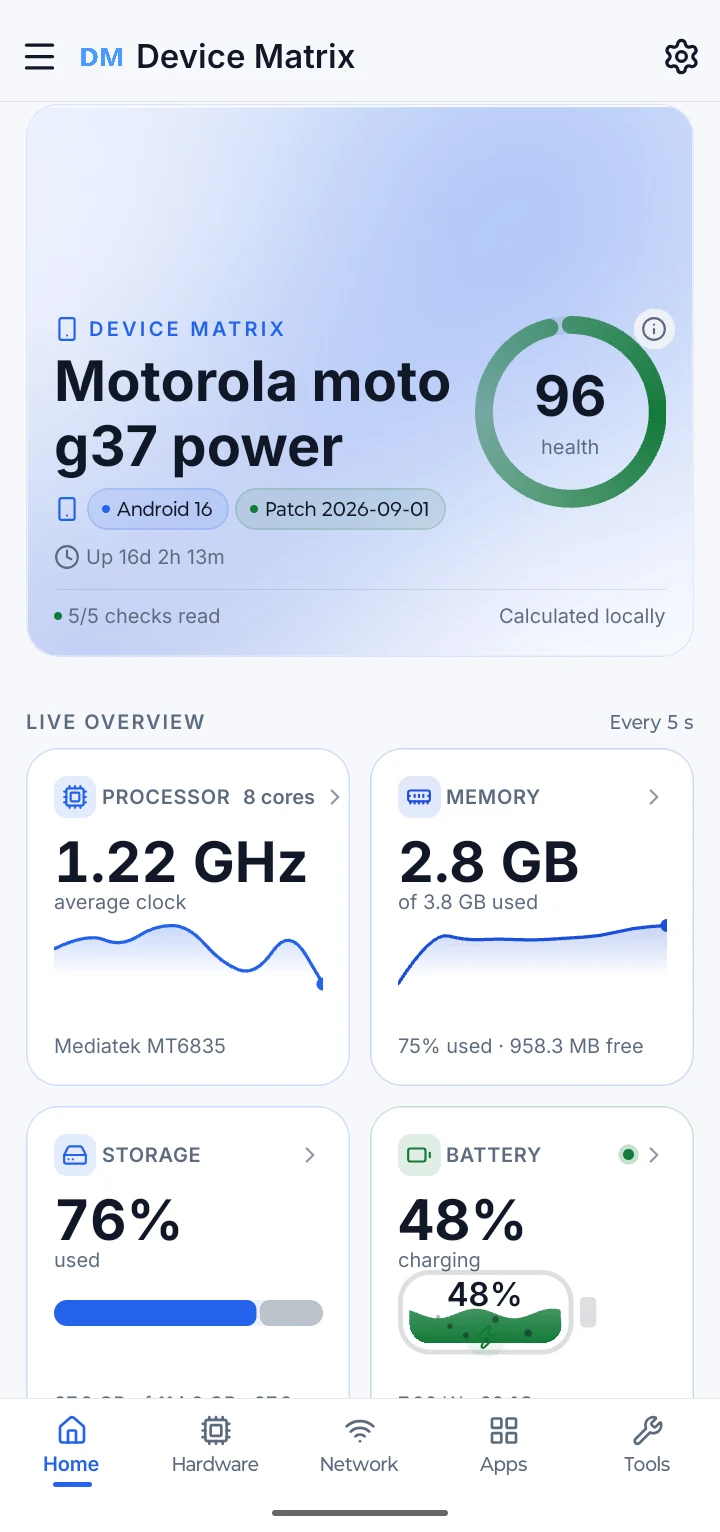
What you see depends on what your phone and Android expose.
A system-info app is only useful if you can trust what it shows. These are the rules Device Matrix follows on every screen.
Device Matrix uses public Android interfaces available to normal apps. When the OS or manufacturer blocks something, the screen says so.
A missing field is not quietly filled with a plausible-looking number. Some features and readings vary by brand, model and Android version.
Values such as device age and battery health can be approximate. The app marks estimates with ≈ and explains what they mean.
There is no app account, backend or analytics service. Reports leave only when you copy, share or save them.
Home brings the current health summary, live overview, quick checks, today’s usage and the shortcuts you use most into one readable screen. Readings refresh while the screen is open and pause when it is not.
Open a clear detail screen for the parts Android will talk about: the device and build, processor and graphics, memory, storage, battery, heat, display, camera and sensors.
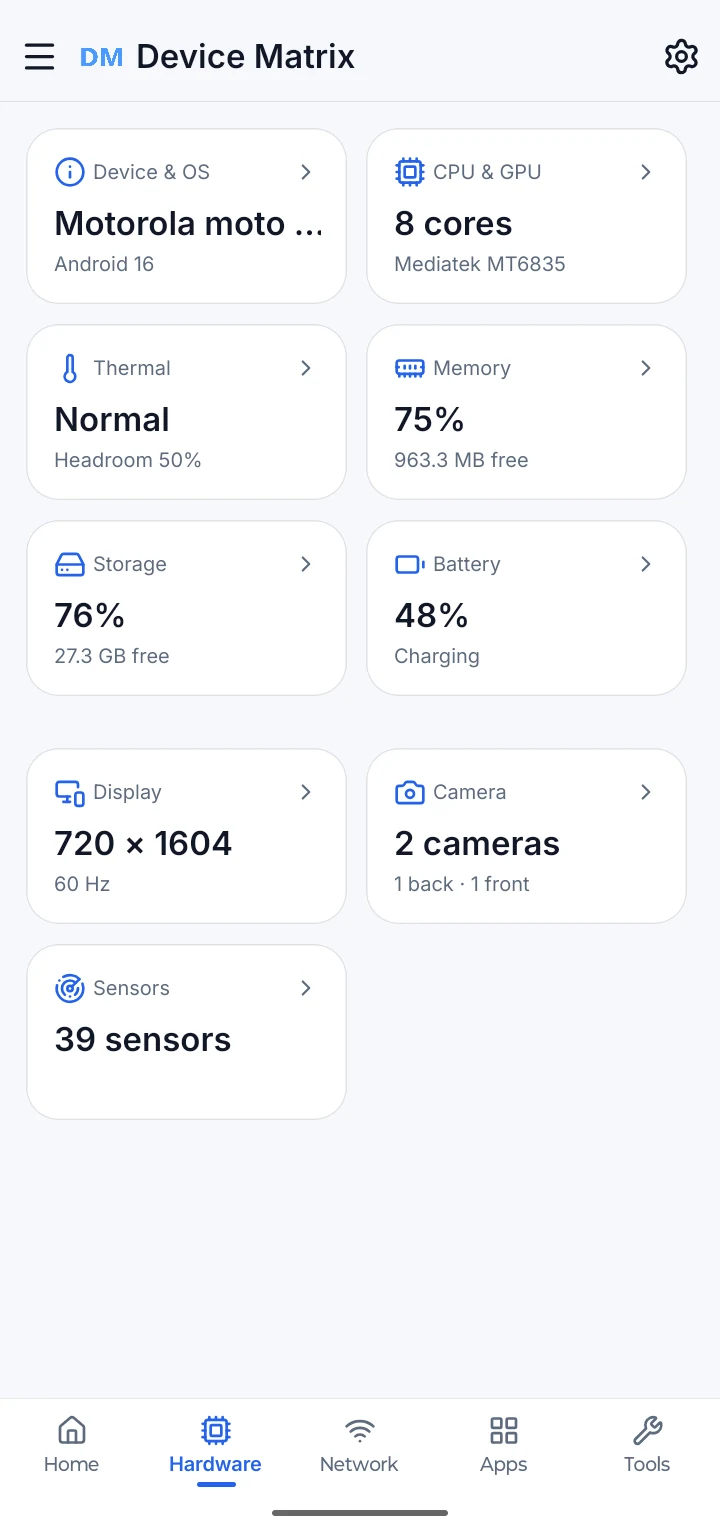
Network shows the active link, metered and VPN state, operator information, DNS and Wi-Fi link details. Wi-Fi names, BSSID, IP addresses, gateway and DNS stay masked by default.
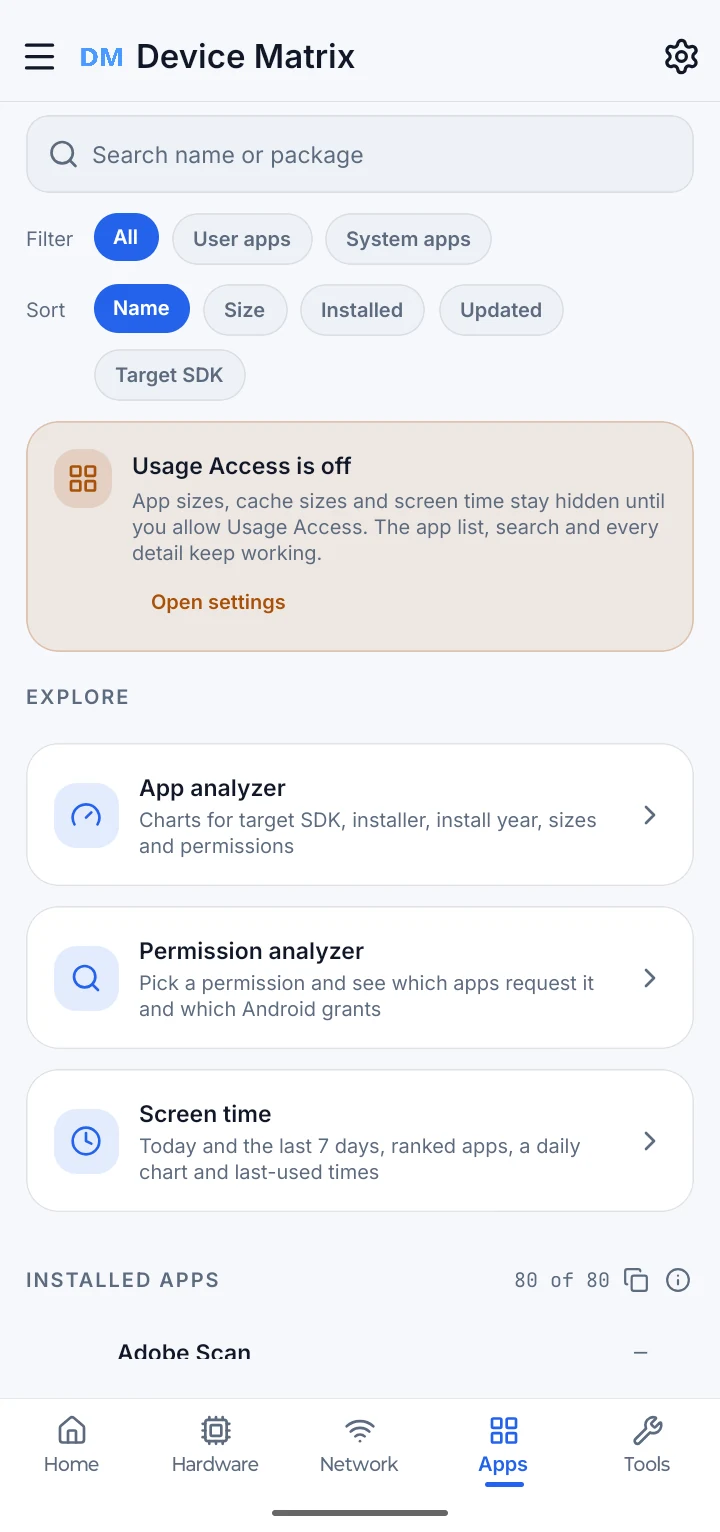
The Apps area lists applications with a launcher icon, then helps you see target API spread, installer mix, declared dangerous permissions and foreground time. Usage Access is a separate Android grant; the app explains it before sending you to Settings.
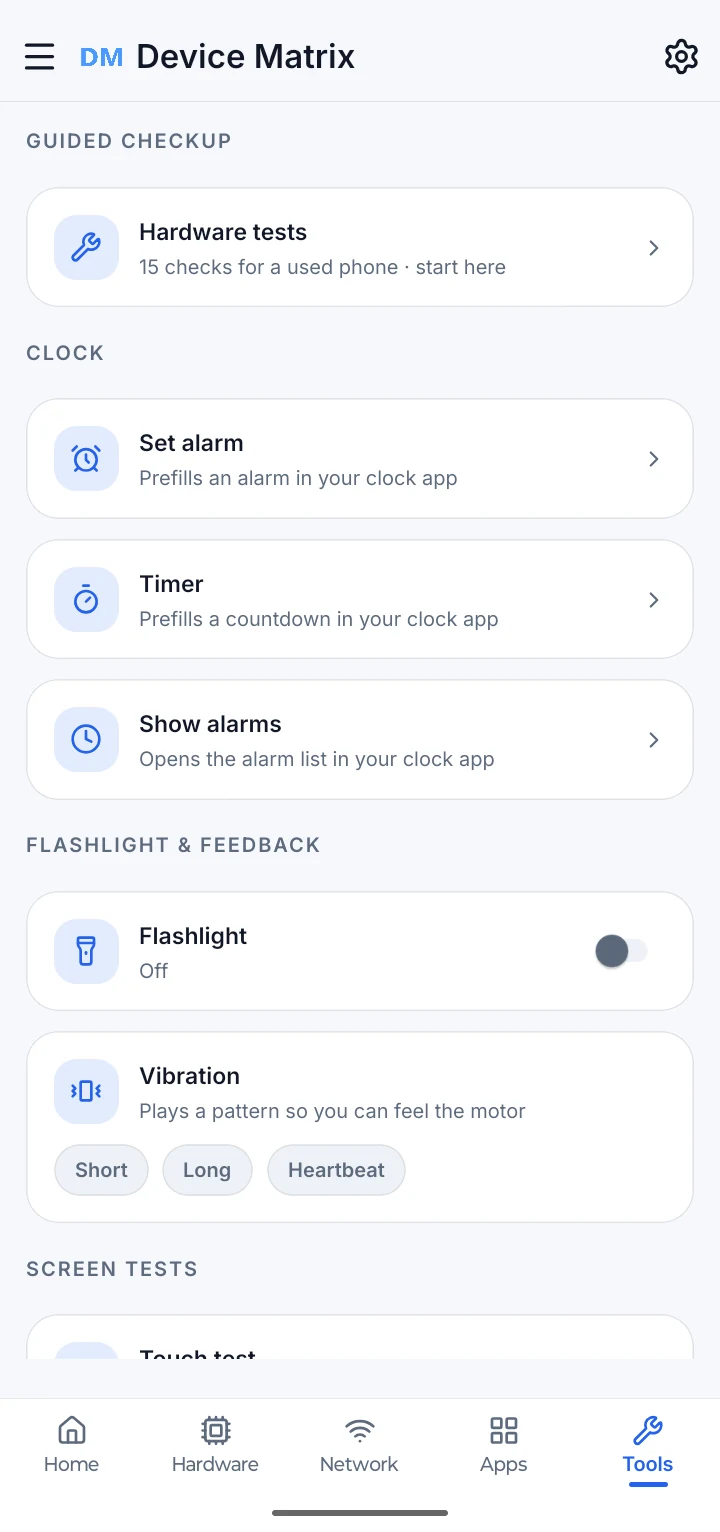
Run one check or the full set. Each result can be passed, failed or left untested, and the app explains when Android cannot run a check on this device. Results stay on the phone and can be shared as a used-phone checklist.
Six core screens in Light or Dark, from the Home dashboard through hardware, thermal, battery, storage and memory. Each card keeps its own theme switch.
Choose from the report sections, build a preview, then copy, share or export. The preview, copied text, PDF and JSON all follow one “Include sensitive information” switch, which is off by default.
Build the report, inspect exactly what it contains, then copy or share the text.
A free user may see one rewarded video before the PDF is generated. Remove Ads skips it; a failed video exports nothing and offers a retry.
Choose the sections and whether identifying details are included. Export a PDF or a sanitised JSON file.
Reports are built on the phone. They leave only through Android’s share sheet or the destination you choose.
Use every information screen, every guided check, the analyzers, reports and all ten widget layouts at no charge. Remove Ads is a one-time purchase that turns advertising off.
Remove Ads is an optional one-time purchase through Google Play. There is no Device Matrix account. Google Play shows the price in your local currency.
Every information screen, guided check, report, analyzer and widget layout.
The same features without advertising. No feature is locked or unlocked.
Optional one-time purchase through Google Play. Nothing renews.
Device Matrix has no app account, no backend and no analytics service. Settings, test results and widget choices stay in private app storage. Reports leave only when you choose a destination. Advertising is served by Google AdMob, and optional purchases are handled by Google Play.
The questions people ask most often, answered on this page.
Device Matrix: System Info is an informational Android utility. It reads hardware, software, network and app details that Android exposes, guides optional hardware checks, builds local reports and offers home-screen widgets.
No. It is an informational utility with guided checks. It does not diagnose a hardware fault, certify that a device is healthy or estimate repair cost.
Android 8.0 and later. Some readings and permissions depend on the Android version and the manufacturer.
No. Device Matrix uses public Android interfaces available to normal apps.
Android or the manufacturer may not expose that field, the permission may not be granted, or the phone may not have the hardware. The app shows the limitation instead of guessing.
From public Android interfaces and the phone’s own sensors and system services. Values that are approximate are labelled.
No. Readings are processed on the phone. The app has no Device Matrix account, backend for readings or analytics service. Reports leave only when you copy, share or save them.
Android treats Wi-Fi names and nearby-network scans as location data. The permission is requested only when you open Wi-Fi details or the Wi-Fi analyzer. Device Matrix does not use GPS coordinates as a reading.
No. It reads live sound levels to move a meter. Audio is never recorded, stored or sent, and the recorder is released when you leave the test or background the app.
No. It does not read app content, keystrokes, messages, photos, contacts, SMS or call logs. It also does not request your IMEI, hardware serial number, Android ID, phone number or precise GPS coordinates. See the Privacy Policy for the full explanation.
Optional checks cover the display and pixels, multi-touch, flashlight, speaker, earpiece, proximity, light, accelerometer, charging, headset and USB audio, vibration, Bluetooth, volume buttons and microphone. Some checks depend on the hardware and Android version.
No. Results stay on the phone and can be shared as a checklist only when you choose.
A local summary calculated from the checks this phone can report. It is not a stored history, a diagnosis or a guarantee of device condition.
Choose sections, preview the content, then copy or share the text, create a PDF or download sanitised JSON. The “Include sensitive information” switch is off by default and applies to every output.
The free app is supported by Google AdMob ads, with Google’s consent form where required. Remove Ads stops ad requests. Ads are not shown on Settings, permission explanations, hardware tests or live graphs.
Remove Ads is an optional one-time purchase that turns advertising off. Every information screen, guided check, report, analyzer and widget layout is already available without it. No feature is locked behind the purchase.
Remove Ads is a one-time purchase through Google Play. Nothing renews. A purchase is linked to the Google account used in Google Play and can be restored with that account.
RAM, storage and battery widgets are available in 2×1, 2×2 and 4×1 layouts, plus the 4×2 Device Health Check. All ten layouts are free. Add widgets from your launcher’s widget picker; Device Matrix requests updates, but the launcher controls refresh timing.
No. It does not silently change settings, clear memory, repair hardware or promise that a reading will make the phone faster or last longer. Where Android needs a decision, the app opens the relevant screen, and you stay in control.
Email binkodtech@gmail.com with your app version, device model and the steps that led to the problem. Do not send Google account passwords or payment details.
Clear readings, guided checks and a report you can inspect before you share it.