
CPU
Processor clusters, reported clock speeds, GPU renderer and graphics API versions.
Device Matrix is a set of small, connected tools: a live dashboard, detailed hardware screens, network and app insight, guided checks, local reports and home-screen widgets. Here is what each part covers in version 1.1.0.
The app is Android-only. Values vary by device and by what the manufacturer exposes.
Each shortcut uses the same Android App Link as the matching screen page. If Device Matrix is installed and Android has verified the link, the screen opens in the app. If it is not installed, the link opens the matching Device Matrix page on this website.
Processor clusters, reported clock speeds, GPU renderer and graphics API versions.
Charge level, charging state, temperature, current, voltage and estimated capacity.
Used, available and total RAM, low-memory state and swap details where reported.
Android thermal status, load, headroom and battery temperature.
Internal capacity, used and free space, volumes and app usage where access allows.
Resolution, density, refresh rate, HDR support, display modes and cutout details.
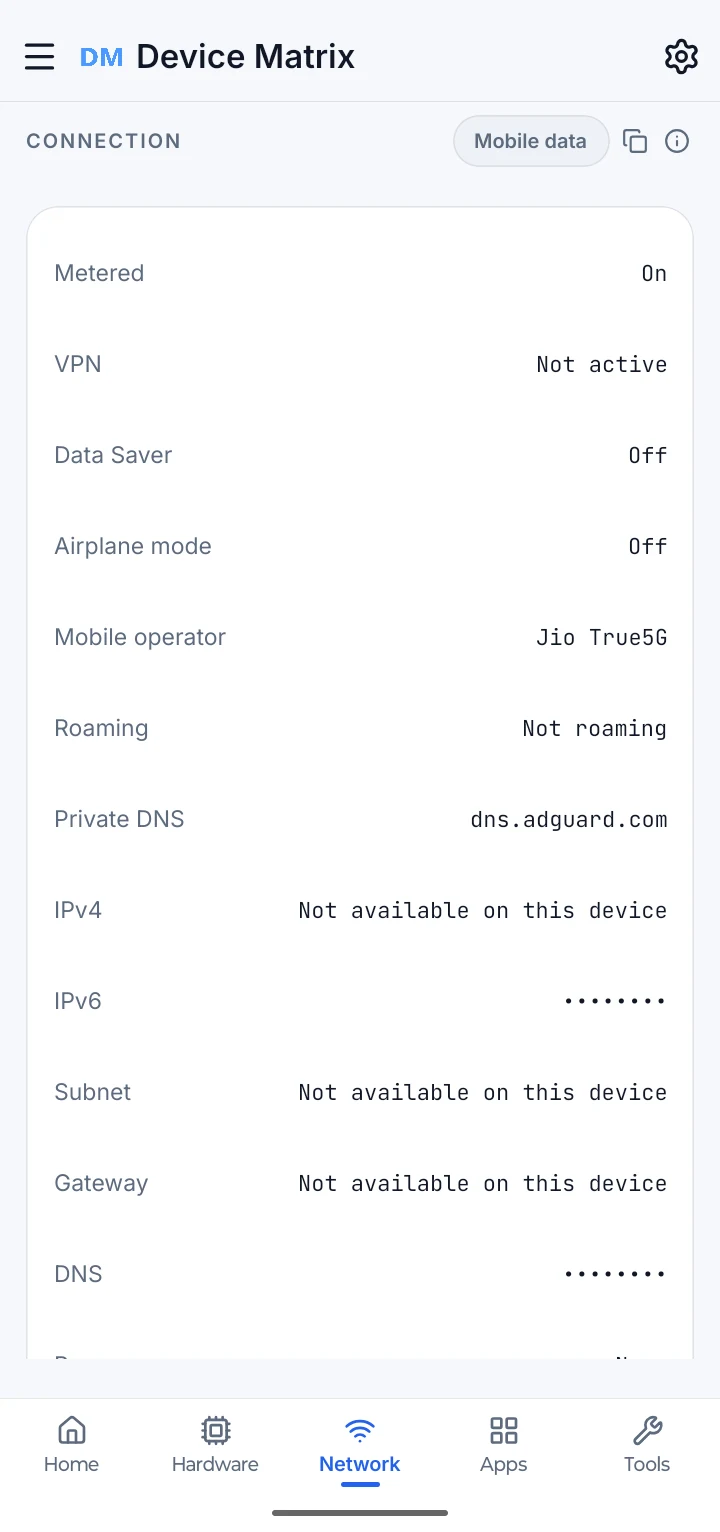
Active connection, operator, Private DNS, masked addresses and data usage.
Searchable sensor list with live values where Android supports them.
Camera and lens characteristics reported by Android; no photos are taken.
Bluetooth and NFC state and reported radio capabilities.
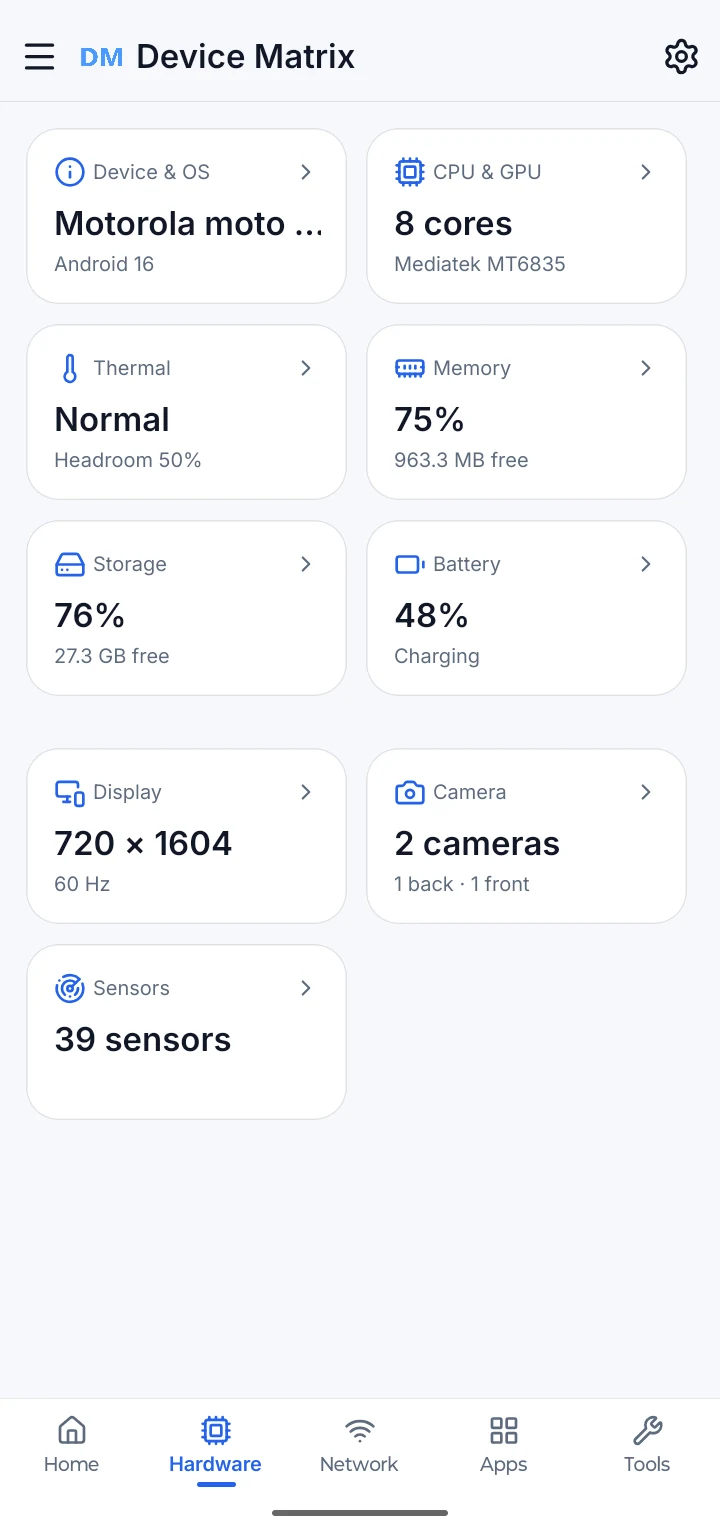
The hub for Device, CPU, Heat, RAM, Storage, Battery, Display, Camera and Sensors.
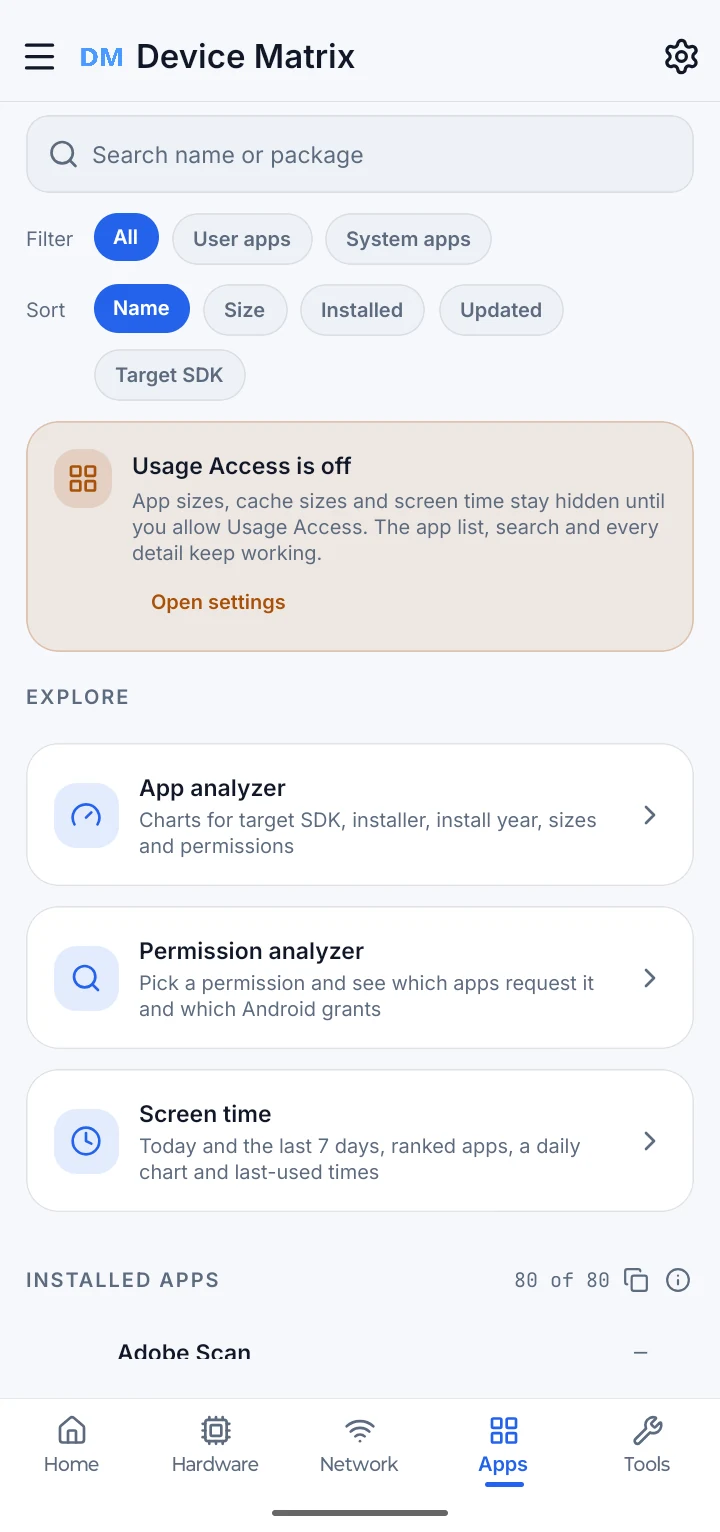
Launcher apps, search, details, analyzers and screen time where Usage Access is granted.
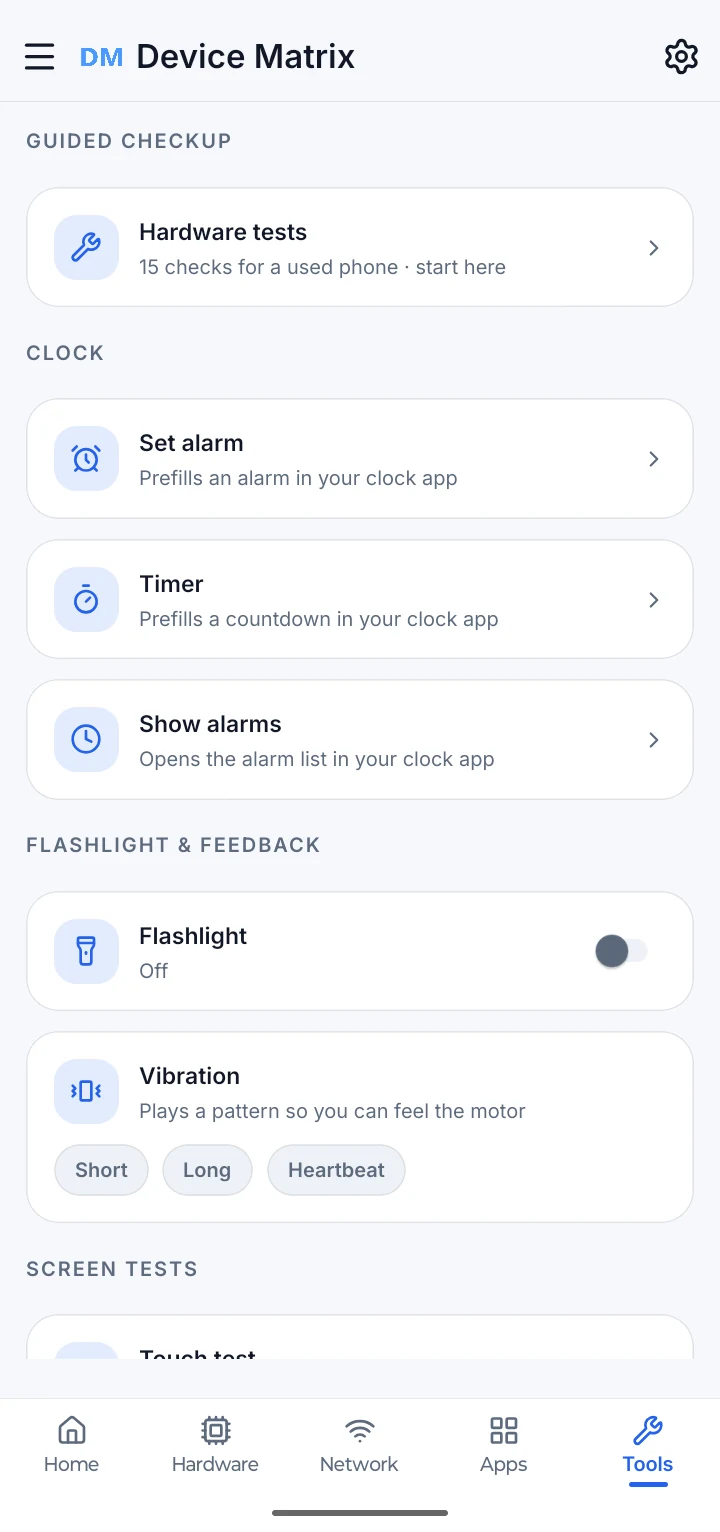
Alarm and timer hand-off, flashlight, vibration patterns and screen or touch checks.
Android performs App Links verification after the Play-signed app is installed. This website cannot confirm that device-side check.
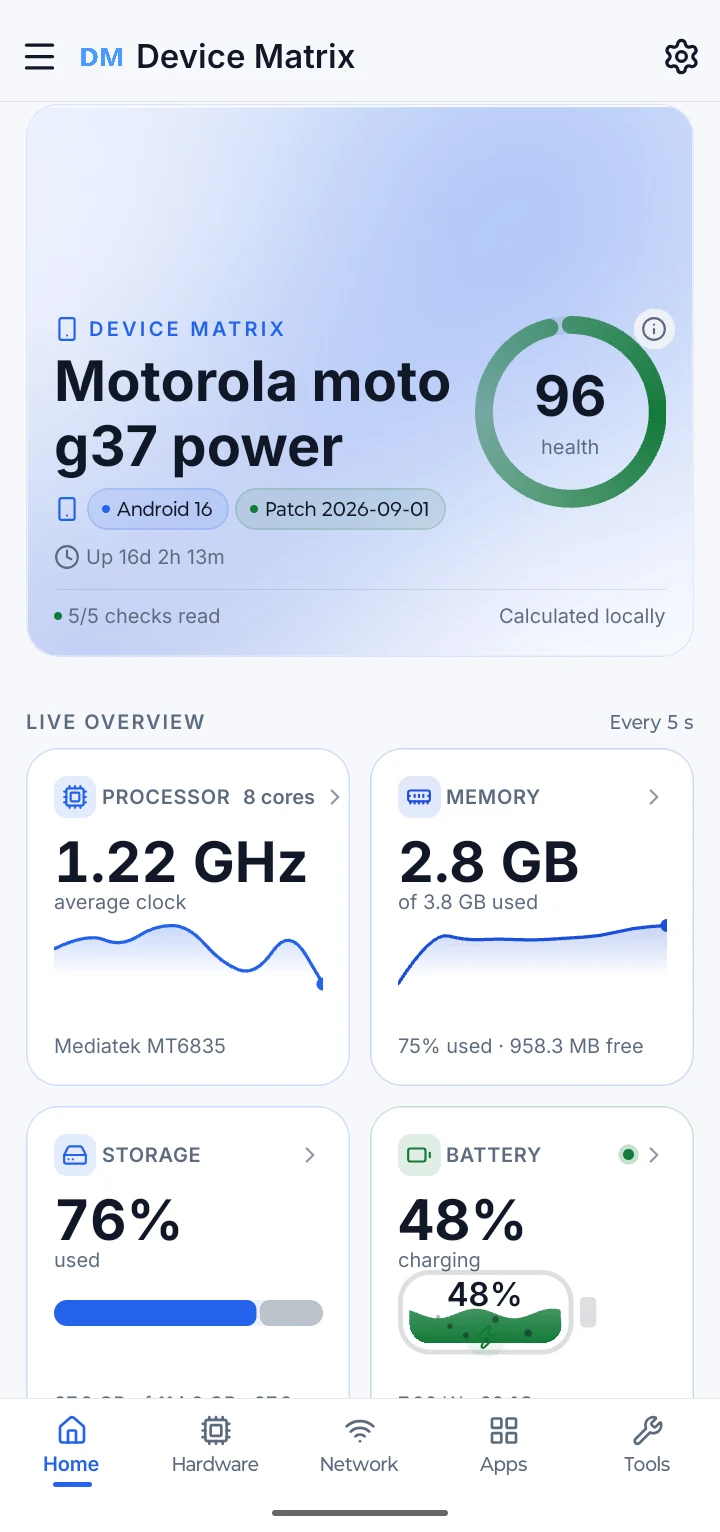
Home opens with a locally calculated health summary, device facts, today’s screen time and live tiles for the processor, memory, storage, battery and heat. Further tiles cover display, network, camera, sensors and connectivity. Shortcuts lead to the hardware checks and the tools.
The hardware hub opens Device, CPU, Heat, RAM, Storage, Battery, Display, Camera and Sensors. Each screen reads what public Android interfaces report and keeps estimates and missing values clearly labelled.
Network shows the active connection type, metered and VPN state, Data Saver, operator and roaming state, Private DNS, and the Wi-Fi link. Wi-Fi names, BSSID, IP addresses, gateway and DNS stay masked unless you briefly reveal a value.
Device Matrix lists launcher apps rather than every package on the device. Search and sorting help you find one; the detail sheet shows what Android reports about version, target SDK, installer, dates and size where access allows. The analyzer summarises the collection, and the permission analyzer groups apps by the dangerous permissions they declare.
The tests are the guided checks someone might run on a used phone: display and pixels, multi-touch, flashlight, loudspeaker, earpiece, proximity, light, accelerometer, charging, headset and USB audio, vibration, Bluetooth, volume buttons and microphone.
The check-up reads local settings and readings and returns plain-language findings. Where Android offers a relevant setting, the finding includes a shortcut. It does not silently change the phone, and it does not promise that a change will make the device faster or last longer.
Examples include an old security patch, a long screen timeout, USB debugging left on, storage or memory pressure, battery temperature and a high refresh rate.
If Android does not expose a value, the finding is left out and the limitation is disclosed.
It reflects the checks this phone can report. It is not a diagnosis or a guarantee about the hardware.
Set an alarm or timer with a prefilled request for your clock app, open the alarm list, toggle the flashlight, play a vibration pattern, or jump into the screen and touch checks.
The clock app owns the final confirmation; Device Matrix does not silently schedule an alarm.
Availability depends on the hardware and the Android version.
Short, Long and Heartbeat patterns.
Jump into the same guided checks used in Hardware tests.
Pick report sections, build a preview, then copy the text, share it, create a PDF or download sanitised JSON. The preview is the same content the export will use, and every export option is available without a purchase.
Fifteen sections, from device and CPU to network and test results.
The preview uses the same content as the export, so you can inspect it before sharing.
Copy or share the report text, generate a PDF locally, or download sanitised JSON.
A free user may watch one rewarded video before the PDF is generated. Remove Ads skips it; a failed video exports nothing and offers a retry.
Reports are generated on the phone. There is no upload and no cloud report.
RAM, storage, battery and device health widgets use the readings already on the phone. Ten layouts are available without a purchase: 2×1 Compact, 2×2 Standard and 4×1 Detailed for RAM, storage and battery, plus the 4×2 Device Health Check. The launcher owns refresh timing and widget placement.
2×1 Compact and 4×1 Detailed for RAM, storage and battery.
2×2 Standard for RAM, storage, battery and the 4×2 Device Health Check.
Theme, accent and units carry through to widgets.
Use the launcher’s widget picker; the app cannot place widgets for you.
Choose System, Dark or Light; choose an accent palette or follow the system colour. Change units for temperature, storage and memory, frequency, network speed, screen size, distance, acceleration, pressure, time and power. Accent palettes, dashboard layout editing and the Animations Off option are available to every user.
A choice of accent palettes, plus Follow system colours.
Rearrange, hide and reorder dashboard tiles, and keep the layout on the phone.
Android’s Reduce motion setting is respected; Animations Off for battery save is also available.
Theme, units and layout stay in private app storage.
Device Matrix does not create an app account or send readings to a backend. The app masks network and build identifiers, asks for permissions only when a feature needs them, and keeps reports on the phone until you choose a destination.
Home gives the overview; Hardware opens the details, with Thermal, Battery, Storage and Memory alongside. Slide through the cards, or switch any capture between Light and Dark without losing your place.
Use the previous and next buttons, the pagination dots, a horizontal swipe, or the left and right arrow keys to move between screens.
Every information screen, guided check, report, analyzer and widget layout is free. Remove Ads is only for a quieter app.