
Buying a used phone is a bit of a leap. The photos look good, the price feels right, and the seller says it has been looked after. The tricky part is confirming what is actually inside the phone before you hand over the money.
What a listing can miss
Listings tend to focus on what looks good. They rarely show the Android version, security patch, RAM, storage or what the battery is reporting. Two phones can look identical and still have very different insides.
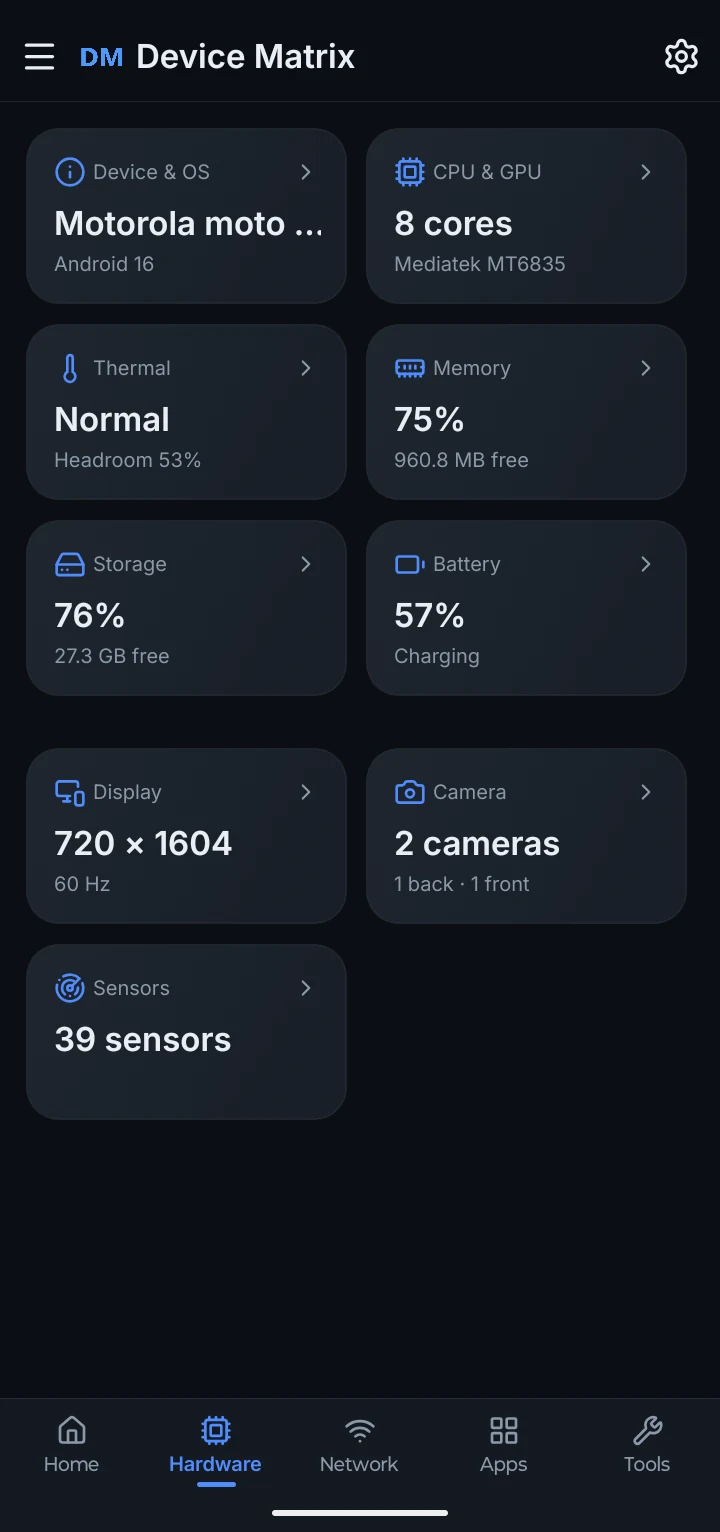
The hardware fills in the rest
The Hardware screen shows the model, Android version, processor, RAM, storage, display, cameras and sensor count your phone reports, alongside battery and thermal summaries.
Inspect what Android exposes
Device Matrix brings the basics into one place: manufacturer, model, processor, RAM, storage, Android version and security patch. You can also run supported hardware checks to see how the screen, speakers, buttons and sensors respond on that particular phone.
If you want something to refer back to, the app can create a text or PDF report on the phone and share it through Android’s share sheet. Standard PDFs mask identifying details, the preview shows what will be included, and no account is needed.
What to check before you pay
Match the basics
Compare the model, processor, RAM and storage with the listing before you agree on a price.
Check the software
Look at the Android version and security patch, and ask whether the phone still receives updates.
Read the battery
Charge level, reported health, temperature and cycle count are useful talking points. They are readings, not a promise of remaining life.
Keep a report
Create a local text or PDF report and share it with the seller, a friend or a technician.
Use the report as a checklist for the conversation, not as a substitute for a proper look. Check the physical condition, ask about ownership documents and make sure the phone can be reset and set up with your own account.